Curse of the phantom shadow - Hotel Corridor scene
Some more work on the phantom shadow. Replacement hallway.
Using lightwave 2018 and fusion for post effects.
So i'll share one of my better advanced tips - and seems to be a secret as most lightwavers do not know about this- lightwave produces fireflies something awful, and sometimes its very difficult to remove them easily. Welll......
In fusion there is a filter called the rank filter, and just putting it on a loader can remove fireflies quite nicely without adding a blur to it all.
If its altering the underlying image at all you can limit the effect just to the area with the firefly using a simple mask and then your good to go.
This also turned into a case where i was able to use the original footage as a guide for the "find a camera solution" function that lightwave has - While i got pretty close, the camera matcher function figured out a lot more than just angle it figured out FOV something i dont mess with but was highly necessary to dial in the correct camera angle.
Post effects as always help bring it closer to the realm of realism with a little blur to take off that cg sharp edged look. Finally, some color correction helps grade it towards being more like the plate footage its replacing.
The hero is just a quick cutout and is waiting for a roto so hes a bit rough looking still.
also heavily in use is light fall off to achieve that nice soft lighting
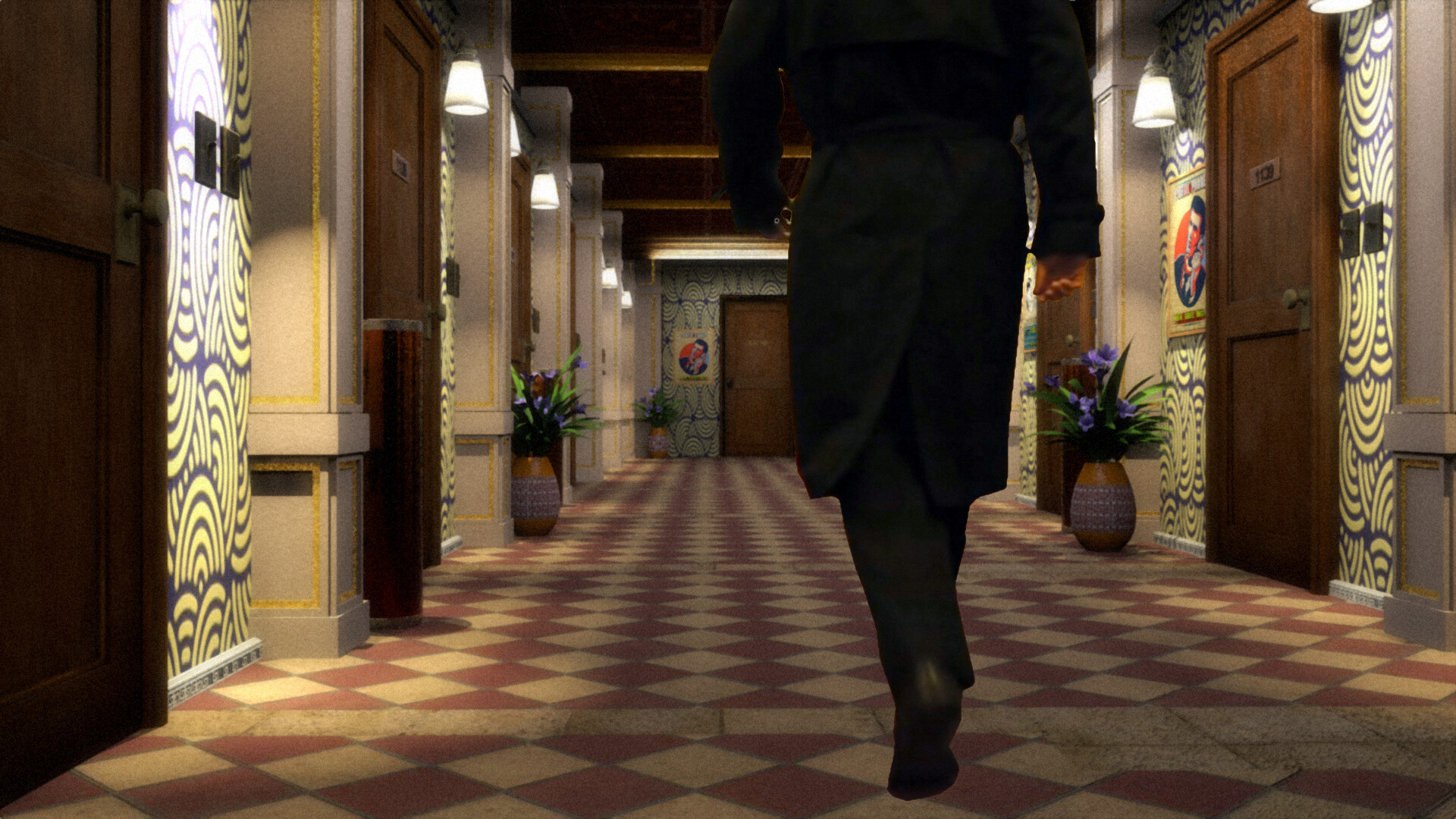
Curse of the Phantom shadow - Hotel corridor scene shot 1

Curse of the Phantom shadow - Hotel corridor scene shot 2 - the main thing to get the shot was using the lw camera matching function to get real close to the original plate footage
(actor is a stand in before roto gets done - not yet)